

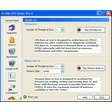

Advanced system information program
A system analyzer is often overlooked as the toy of PC modding fanatics, but the reality is that these applications are very effective at dissecting your PC and giving you the hard truth about its performance. PC Wizard aims to explore the insides of your system and give you the complete low down on its strengths and weaknesses.
Once you launch PC Wizard you’ll notice it takes some time to detect all the hardware installed on your PC. Use the left side of the interface to navigate through the different categories. PC Wizard reveals all the basic details of your hardware, like ports, drivers and processors, but you’ll soon realize there’s much more to it, like analyzing system files or investigating the configuration of elements such as your Internet connection or your Control Panel. Over-sized icons make it fairly obvious what you can inspect, however we would have appreciated an explorer type window in PC Wizard to navigate through components and select exactly what to analyze.
The core of any self-respecting system analyzer is the benchmarking tool and that is where PC Wizard excels. PC Wizard lets you inspect everything from processors to cache, RAM and multimedia like DirectX, MP3 compression and video. Benchmarks in PC Wizard provide the results as a list of information or via comprehensible graphs. These will show you straight away where you’re PC stands and the “compare with” button will let you measure your processor up against well known models. We have to warn beginners though that the information is fairly technical and will be more relevant to experienced users. Just for fun, test out PC Wizard's video benchmark to obtain a swarm of multi-coloured balls and lines all over your screen.
That’s the only bit of excitement you’ll get with PC Wizard though. PC Wizard is not here for fun it's here to be effective. The detailed information and thorough benchmarking tests give you reliable data on all the characteristics and components of your PC. The complexity of this type of application means beginners are best kept away from it altogether, however advanced users will revel in the wealth of knowledge it will uncover on their PC’s performances.
New Processors supportNew Video Cards supportNew UPnp Devices supportNew Passwords recovery supportNew Web Update interface
Changes
New Processors supportNew Video Cards supportNew UPnp Devices supportNew Passwords recovery supportNew Web Update interface




























User reviews about PC Wizard
by Carlos Matallana
ios the best way to be guided to any installation of any software
by little chicken
tiene virus y hace crashear la computadora, mc afee y malwarebites lo reconocen como virus, CUIDADO CON ESTE SOFTWARE! NO LO INSTALEN ALERTA!
by Anonymous
crash with PC Wizard.
If not logged in as Administrator but User starting PC Wizard is starting other programs and crashes ! !OS=XP Home
by Anonymous
great for those of us who really want to know all about our cpus.
i have been useing this very detailed program for several years,it tells you all you need to know about the details of your cpu,it will benchmark your machine with a few simple ticks of your mouse,try it you will enjoy all the features that are at your finger tips
Pros:
detailed brenchmarking
Cons:
none,and it free More